SheetSync Text
Google Sheets, straight into Figma.Text is free.Plus is a one-time buy.
SheetSync Text fills your Figma designs from a spreadsheet. Name your layers after the columns (#ColumnName, same as GSS) and paste the sheet link. You see a preview before anything changes. Text sync is free. Plus adds images, colors, show and hide, component variants and instance swaps, and a card for every row. Pay once, no subscription.
The problem
Designers want real data in their mockups. A plugin that keeps breaking, or a content platform with a monthly bill, isn’t the answer.
Sync breaks after Figma updates
It stops working mid-sprint, and nobody knows why.
Content platforms are overkill
You pay every month for a whole suite when all you need is text from a sheet and a few images.
What designers actually need
Text sync that just works and costs nothing. Images, colors, show and hide, and row cards when you need them, without a subscription.
How it works
Share the sheet
Set it to “Anyone with the link can view”, or paste or upload a CSV.
Name layers after columns
Same as GSS: #Title, #HeroImage, and #Price.2 takes row 2.
Check the preview
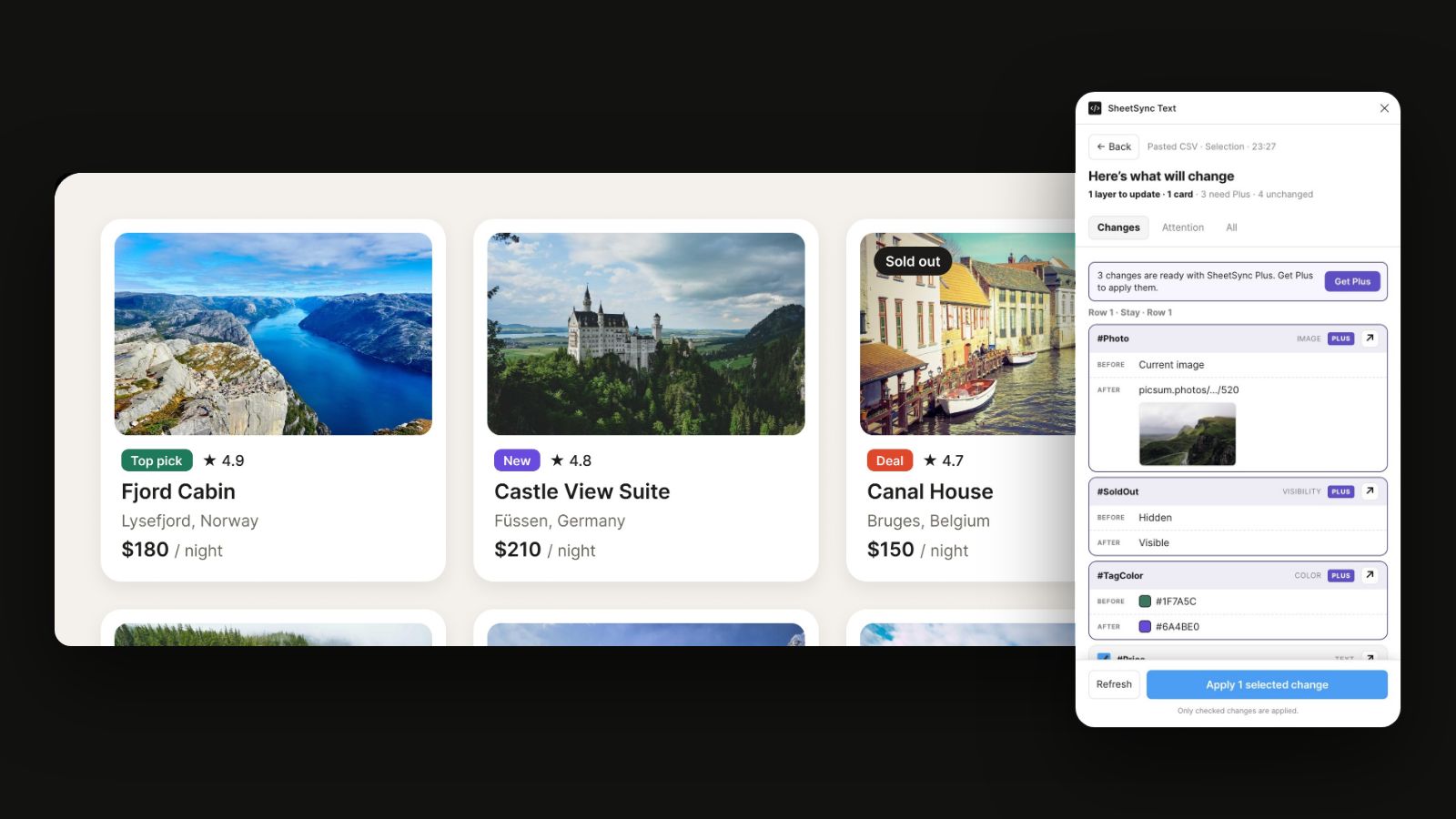
Pick a scope: the selection, the page or the whole file. The preview lists every layer that will change, before and after, and warns you when text won’t fit. Nothing changes until you click Apply. Without Plus, the preview also shows what Plus would change, new images included, so you know what you get before you buy.
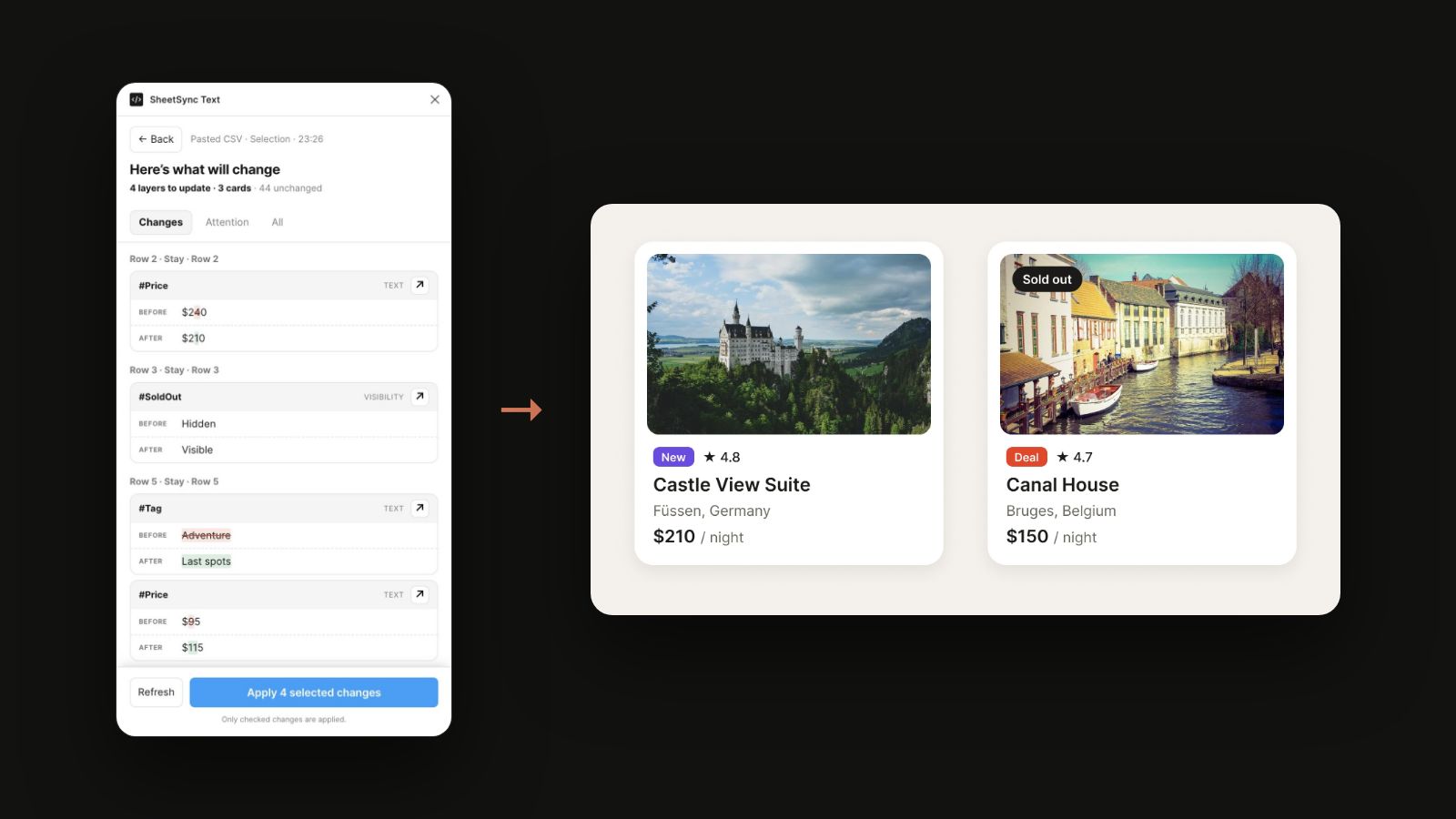
Apply, or take it back
Fonts load before the text is replaced, so nothing breaks. After Apply you see each changed card before and after, rendered by Figma. Revert undoes the last Apply in one click. For cards made from a template, or after a variant or instance swap, use Cmd+Z.
Plus, when you need more than text
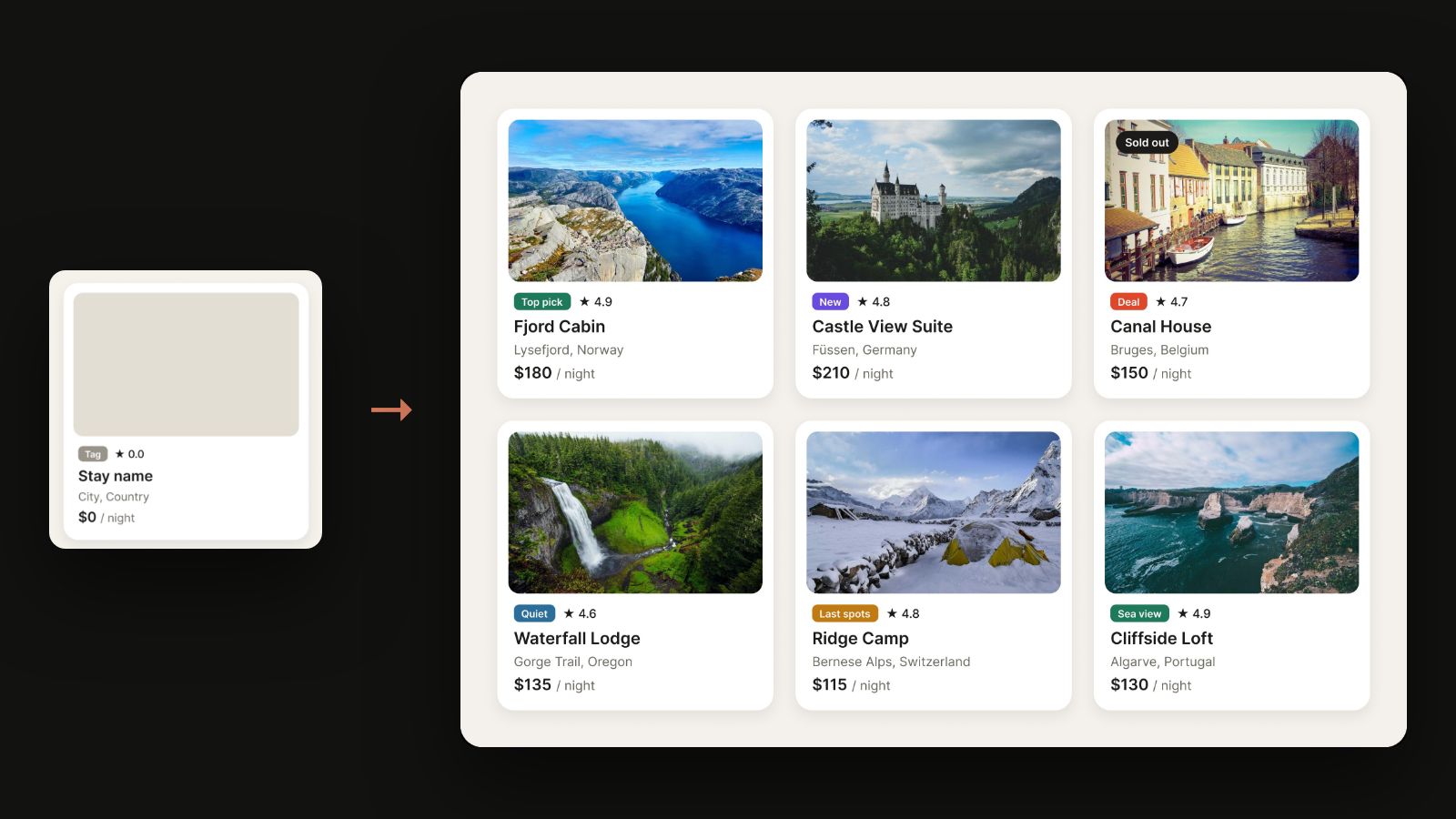
Plus unlocks images from links (PNG, JPEG, GIF, WebP and SVG), hex colors, showing and hiding layers, and template cards: one card copied for every row.
It also sets component properties from a cell. A card named #State with Sold out in the sheet switches to that variant. A button named #Icon with Heart swaps its icon for the preferred component with that name. One cell can do both: State=Sold out, Icon=Heart.
Free and Plus
Text is always free. Plus adds everything visual. Without Plus, the preview still shows each Plus change, locked, next to the text you can apply now.
| Feature | Free | Plus |
|---|---|---|
| Text sync (fonts load correctly) | Yes | Yes |
| Sheet link or pasted CSV | Yes | Yes |
| Scope: selection, page or whole file | Yes | Yes |
Row picker and #Col.2 suffix |
Yes | Yes |
| Preview, before and after, Revert | Yes | Yes |
| See what Plus would change, in the preview | Yes | Yes |
| Sample CSV | Yes | Yes |
| Images from links (PNG, JPEG, GIF, WebP, SVG) | — | Yes |
| Hex colors | — | Yes |
| Show and hide layers | — | Yes |
| A card from a template for every row | — | Yes |
Component variants from a cell (State = Sold out) |
— | Yes |
Instance swap from a cell (Icon = Heart) |
— | Yes |
Price
Text sync is free and stays free. Plus is a one-time purchase in Figma that never expires; the price is on the plugin’s Community page and at checkout. Figma handles payment and tax, and Plus stays with your Figma account, with no key to enter. Refunds and the rest of the rules: Terms.
Install
SheetSync Text is in review for Figma Community; the link goes here once it’s published. In the plugin, paste a public sheet link or a CSV, check the preview and apply.
Questions
Do I need to buy anything for text sync?
No. Text works without buying anything. You only need Plus for images, colors, show and hide, template cards, variants and instance swaps. Without Plus, the preview still shows what those cells would change, locked, and Apply saves your text.
How does buying Plus work?
You buy it once, in Figma: click Get Plus in the plugin and pay at Figma’s checkout. Plus belongs to the Figma account you buy it with, so there is no key; on another Figma account you buy it again. Refunds: see the Terms.
Does naming work like GSS?
Yes. Name layers #ColumnName; a suffix like #Title.2 picks the row.
What about private Google Sheets?
For now the plugin reads sheets shared as “Anyone with the link can view”, plus pasted or uploaded CSV. There’s no Google sign-in, so private files are out of reach.
What data leaves Figma?
The plugin fetches the public sheet from Google. If that doesn’t work (Figma sometimes blocks it), the SheetSync server fetches the same public CSV: it sees the sheet link, never your design. The plugin downloads images from the links in your sheet. Figma handles Plus and tells the plugin whether you have it; the plugin sends no license checks and no usage counts. Details: Privacy.
Is this a content platform?
No. SheetSync Text syncs sheet text for free and the visual extras with Plus. It isn’t a CMS and doesn’t cover Airtable, Notion or slots.